Drop in papers, figures or images.Click the panels you need.Get the finished figure.
FigCompiler cuts the sub-panels out of PDFs and images, labels them (a), (b), (c), sets them into a clean 300 or 600 dpi figure, and writes the caption with permission credits and references. Then it exports everything to Word.
- One paperone PDF
- Several papersmany PDFs at once
- One imagea figure as PNG or JPG
- Several imagesmany PNG or JPG files
- Upload two PDFsBoth papers at once
- Find the panelsSub-panels a–f are boxed
- Pick from both papersThe layout grows with you
- Remove a mistake✕ on the panel, Undo if needed
- Clean a stray labelSet the brush size, wipe it away
- Crop a detailZoom into one region
- Caption, credits, WordReferences included
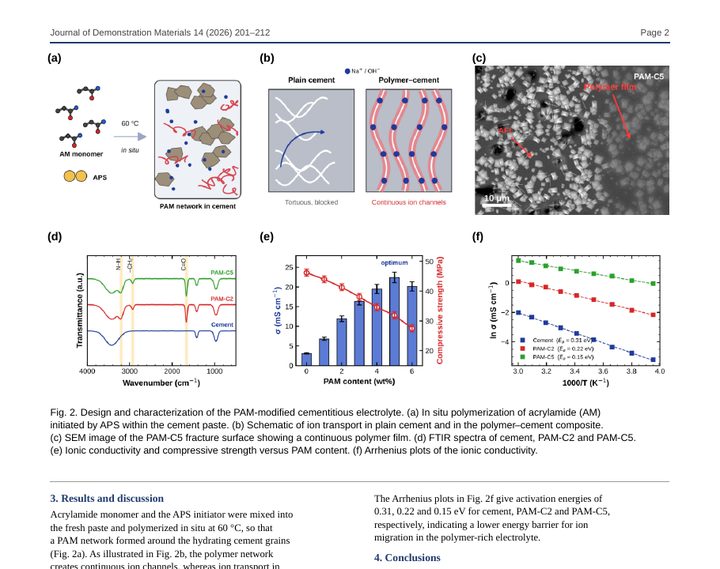
The demo uses two synthetic sample papers made for this page, not real publications or results.
Start building your figure
Create a free account to open the tool. It takes under a minute, and you can try it straight away with the two sample papers.
- Pick only the figures you need from each paper
- Your files never leave the browser
- Free for researchers during the beta
Sign-in is temporarily unavailable. Please try again later.
or use your email
·
Free for researchers during the beta · An account is required to use FigCompiler
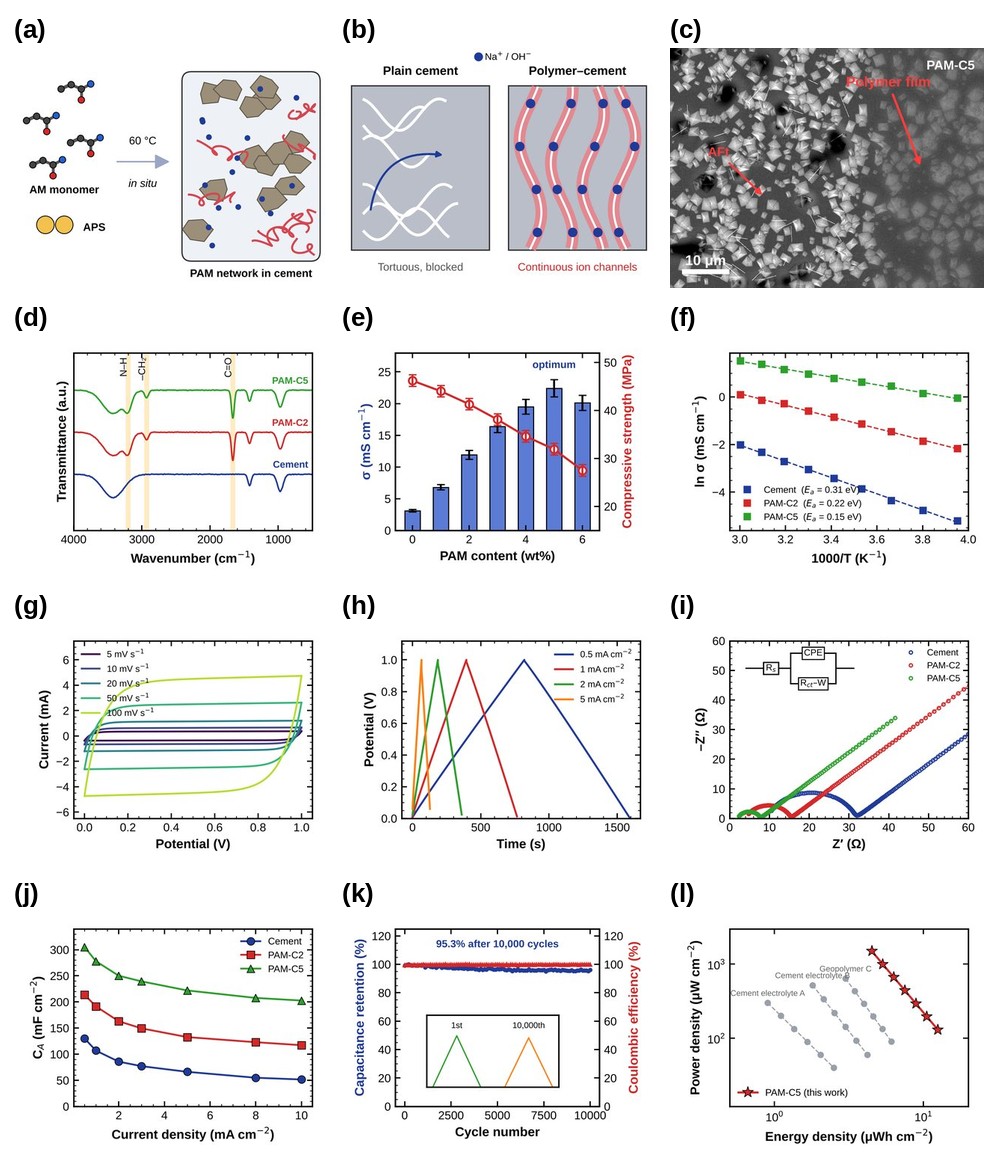
One plate, ready for the journal
Every panel is the original image, cropped at full resolution. Nothing is redrawn, so your data stays exactly as published.
- Four clean layouts
- 2 × 2, 2 × 3, 3 × 3 or 4 × 4, at one- or two-column journal width.
- Caption with credits
- "Reproduced with permission from ref. [1]" for every source, and a Get permission link that takes you to the publisher's request page.
- Straight to Word
- The figure, its caption and the reference list in one .docx, or as a 600 dpi PNG or a PDF.